New design of email notifications, Substitution, improved Configuration database…
New design of email notifications
In version 3.0.164 we changed the design of email notifications. The CDESK logo has been moved from the top header to the lower part of the notification. Thanks to this, your logo stands out more and is now larger. The email notifications are fully responsive. They look equally good on a large computer screen and on a mobile device display. We brought the description of the given notification to the foreground so that you immediately obtain all the necessary data. Below the description is a list of basic information. Thanks to the new look, it is clearer and does not contain superfluous items. 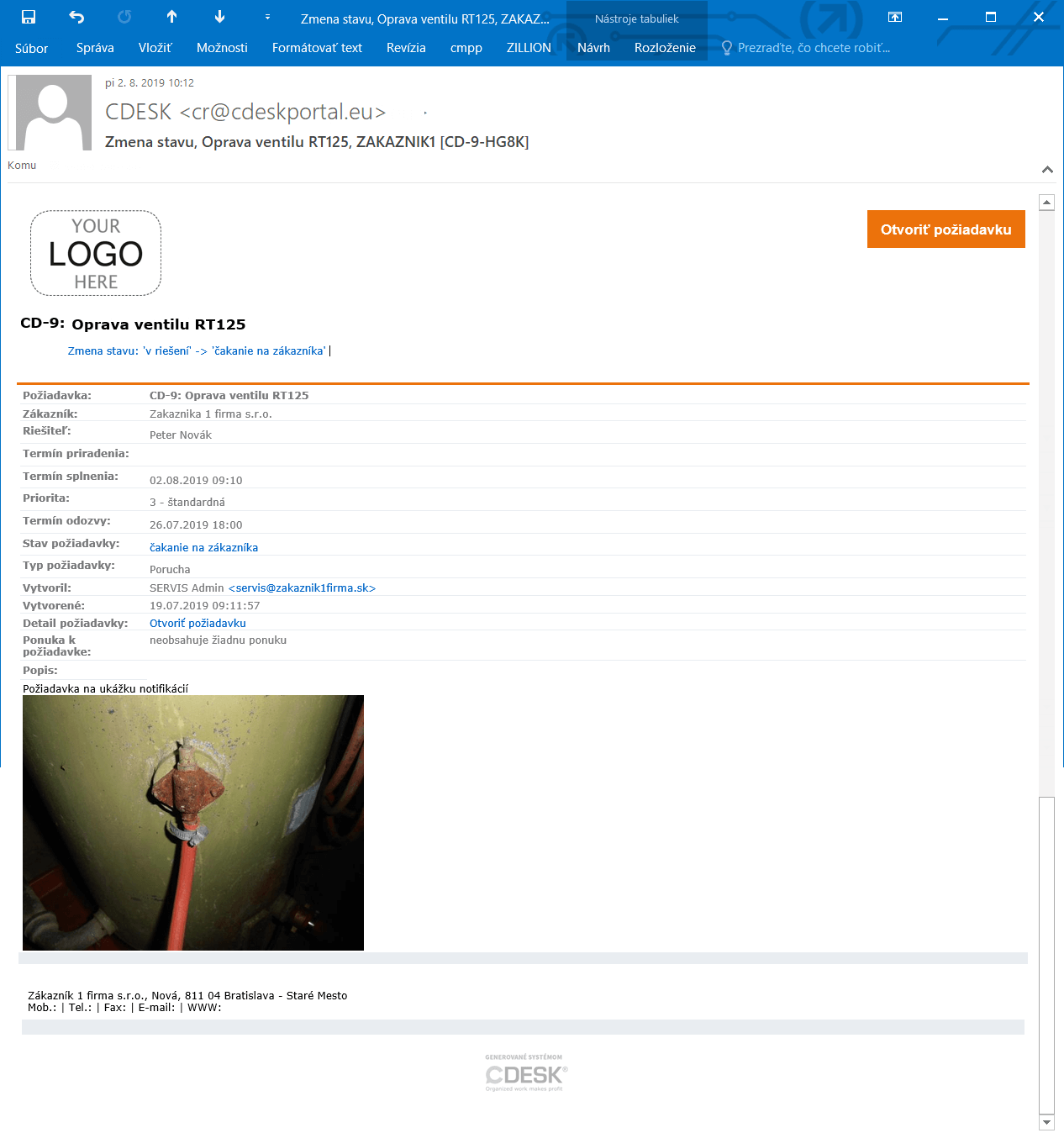
Substitution
With the new update, the Substitution feature has been significantly expanded. Most recently, it is also accessible for the Work Orders and Approval modules. In addition, a user can enter substitutions for other accounts as well, not just for themselves. CDESK also offers the option to preset the substitution period. The substitution is automatically activated and cancelled on the selected dates. The substitute accesses the substituted user’s records just as easily as their own. By being assigned a substitution, the rights of the substituted user transfer to them. Substitution was also expanded with the option of substitution between customer accounts. The substitute receives all the substituted user’s notifications, but the substituted user can turn off notifications during their absence. You maintain an overview of substitutions, whether past or future, thanks to the central management feature. Records of all substitutions are located in one place. 
Improved Configuration database
Version 3.0.164 also added many useful features connected with the Configuration database. The name of a configuration object can be generated automatically based on a pattern you specify. If you create your own CI name, the new feature ensuring a unique name within the CI Type informs you whether another item is using the same name. If you keep a large number of objects in the Configuration database, you will now have the option to set whether the CI list is to load automatically or only after selecting the Main group and Type. Selecting specific objects significantly speeds up loading of the list. 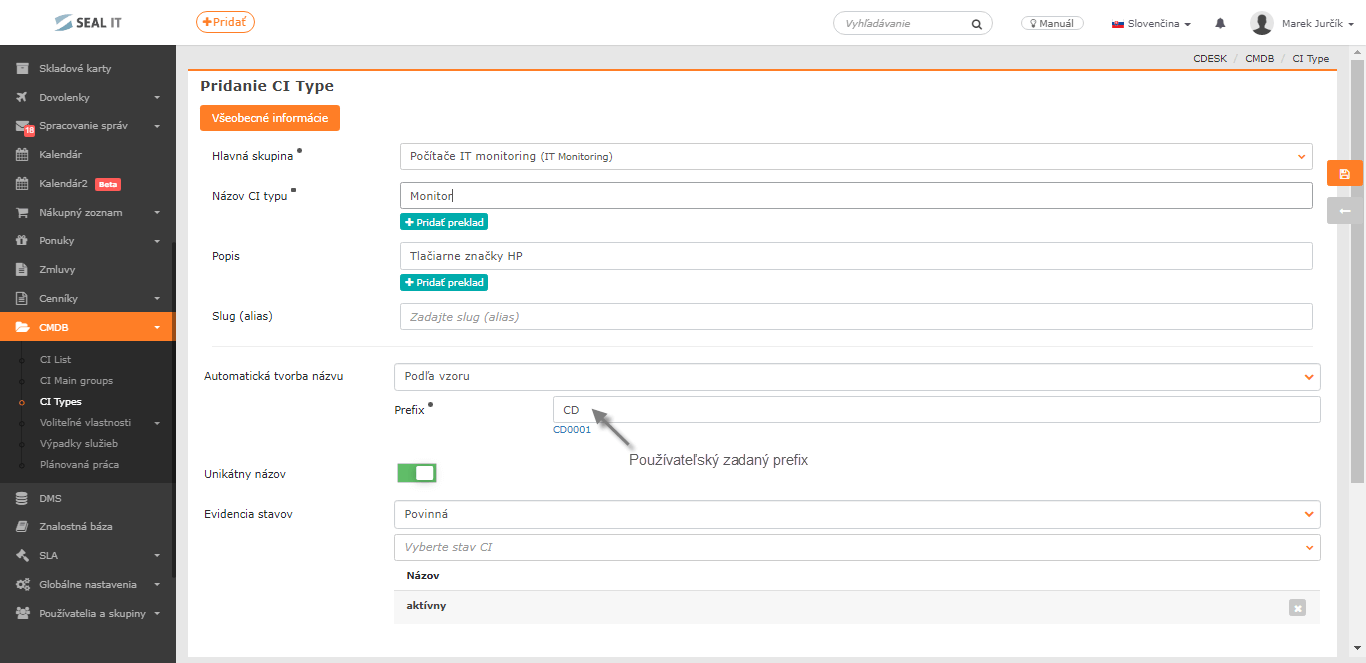
A summary of the improvements is provided in the Version history >